Sunday, December 9, 2007

Make Icons Appear Faster

By default, when opening My Computer, windows automatically searches for network folders and printers. This can cause a delay in displaying your icons and for most users this setting is not needed.

To stop windows from automatically searching, do the following:


Open My Computer,, Select Tools, , then Folder Options,..

Next Select the View, tab.

Uncheck the "Automatically search for network folders and printers, " box, then click Apply, Dats it ur job is done.

Here is the Golden Rule of Deleting a 'Cannot Delete File erro' file in WinXp

1 - Press CNTRL ALT DEL to go to windows task manager
2 - Select the process called "explorer.exe" and right click and end this process.
3 - You will get a blank desktop with only the windows task manager running.
4 - Click top left menu; File > New task (Run...)
5 - A window opens for you to select the new task, click
6 - A browse window opens. Make sure that you change the selection: "Files of types" from 'Programs' to 'All files'
7 - Then Browse to the folder and file that you want to delete. Select it and press delete. You should be able to delete it now.(unless it is a persistent primary windows system file)

8 - once deleted, go browse to c:windowsexplorer and open it.
You should be returned to where you were in the first place. Happy deleting.

Saturday, December 8, 2007

HOW TO DOWNLOAD YOUTUBE VIDEOS

Well there are numerous sites available on the net to download YouTube videos, heres one which i use.... videodownloadx its damn simple u jus have to paste da url of da video which u want to download in the given url bar, nd press download..dats it da video starts downloading.

How to View Deleted or Removed YouTube Videos


How is thispossible? Well when a video has been removed from YouTube, it is not immediately deleted from their servers. Just like our hard drive. When we delete a file and empty the recycle bin, is it not really deleted. It is only marked as deleted and is ready to be overwritten. So if it is not being overwritten, we can still view the videos but of course not from youtube.com.


Viewing removed YouTube videos is easy. Here's how to do it.

First of all, you need to know the Video ID which is at the end of the YouTube link. An example of a YouTube video link is http://www.youtube.com/watch?v=UzeV1Ux5YlI

The video ID for the link above is UzeV1Ux5YlI


Just copy and paste it in the ID text box and click view video. Here are a few sites that is able to play deleted YouTube videos. Surprisingly, they are all not the same. I've tested a deleted video ID on all 3 sites but one of it reported that it could not find deleted video. So if you desperately need to watch a deleted video, try on all of the sites and you might get to watch it.


1. UndeleTube
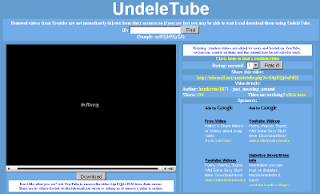
- A normal deleted youtube video viewer. Works well.


2. DeletedYoutubeViewer

- This is a bit special compared to the other two because you are able to search for deleted YouTube video through the VideoID or YouTube User. If you know the user that uploaded the deleted video, you can search the user name.

3. Delutube

I did not like this site so much because there are full of advertisements. Before get to watch a video, I need to wait 4 seconds. Not only that, this is the site that couldn't find the deleted youtube video that I am looking for.